Know your inventory. Plan every event against it.
One place for everything the company owns – and every stage plot checked against it, down to the last cable.
Try it free Play with a live stage →Free to start · email sign-in · no card · also on iPhone & iPad
Your stock, entered once
Consoles, speakers, monitors, mics, DI, cables, stands, wireless and in-ears – plus your own items and your own categories. Search, label (“Case 3”, “Van 2”, “Weddings”) and filter. Define packages that go out together, like Drum mics = 3 clip mics + 2 SM57 + 1 SM81.
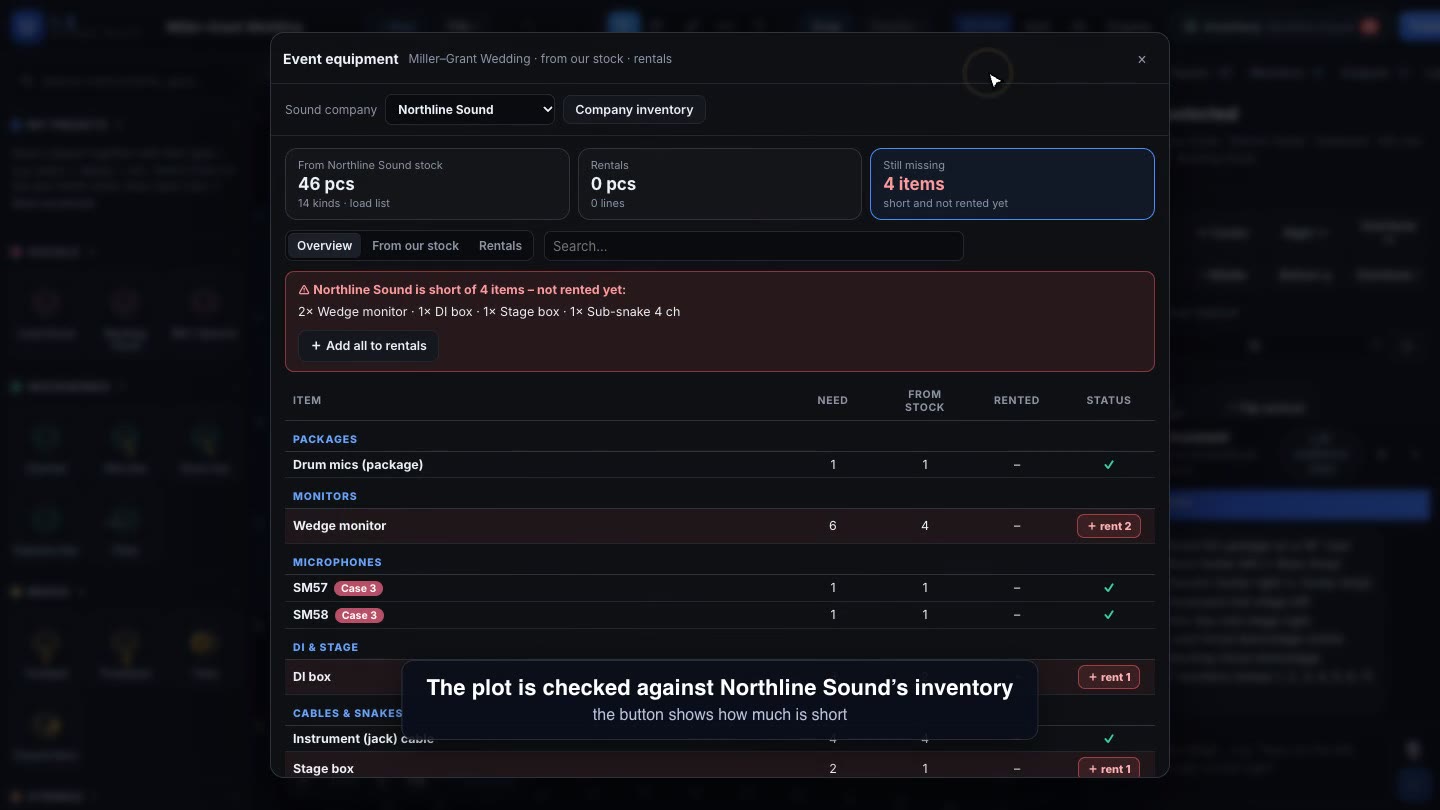
Every event, checked
- Overview – need · from stock · rented · status, with one click to rent anything short
- From our stock – the load list for the warehouse, with spares and extras for this event
- Rentals – quantity, supplier, status (to order, ordered, confirmed, returned) and notes – print the rental order grouped by supplier
Shared with the team
Invite the crew as editors or viewers. The company inventory is never changed by an event – each event keeps its own equipment list.
See it in action
Questions & answers
Can it track our company’s equipment?
Yes. Enter your stock once (mics, consoles, speakers, cables, stands, wireless and your own items). Every event then shows what comes from your stock, what is short, and builds a load list and a rental order grouped by supplier.
Can one event have several stages?
Yes – a main stage, a second stage, a third stage or your own names, each with its own plot, inputs and time. The event equipment list adds them up, or counts only the busiest stage when the gear moves between stages.
Is it free?
Yes – it is free to start. Sign in with your email and a password; there is no credit card and nothing to install.
Try it free Play with a live stage →Free to start · email sign-in · no card · also on iPhone & iPad