A complete technical rider, built from your stage plot
No more Word templates and photos of napkins. Draw the stage once and the rider writes itself – and stays right when the stage changes.
Try it free Play with a live stage →Free to start · email sign-in · no card · also on iPhone & iPad
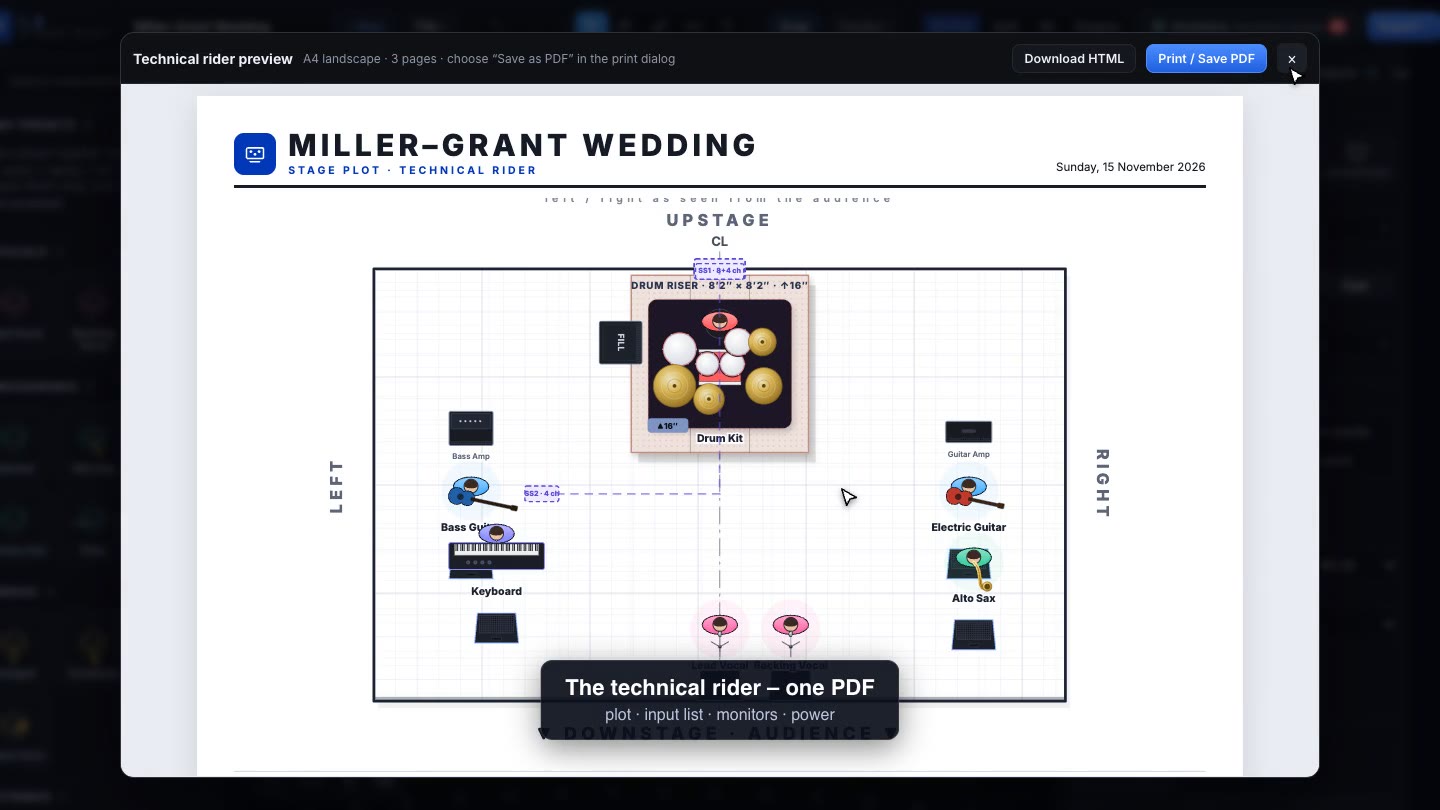
What’s in the rider
- Event overview – every stage side by side with its time – the running order of the day
- Stage plot – a clean top-down drawing with names, risers, wedges and power drops
- Input list – numbered in standard FOH order, with the mic, stand and 48V for every channel
- Monitor mixes – who hears what, on wedges or in-ears, with each musician’s wishes
- Output list – Main L/R, subs and every monitor mix, numbered for the console
- Power & backline – where the drops go and what plugs in
- 3D views – so the client, the venue and the band see the same stage
Send it the way people actually read it
Print or save it as PDF, export the input list to Excel, or send one link: the band, the venue and the crew always open the latest version. Changes made in the plot are in the rider the moment you make them.
One rider for the whole event
Several stages? The rider opens with an overview of every stage and the running order, then gives each stage its own plot, input list, monitors and 3D views.
See it in action
Questions & answers
Does it make a technical rider?
Yes. One PDF with the stage plot, numbered input list (with 48V, mic and stand per channel), monitor mixes, output list, power and 3D views – for every stage of the event. You can also send a link instead of a file.
What files can I export?
Technical rider (PDF), stage plot (PDF), input and output lists (CSV for Excel), staging order (PDF, Excel, CAD / DXF), 3D picture (PNG), 3D model (GLB) and an 8-second fly-around video.
Can one event have several stages?
Yes – a main stage, a second stage, a third stage or your own names, each with its own plot, inputs and time. The event equipment list adds them up, or counts only the busiest stage when the gear moves between stages.
Is it free?
Yes – it is free to start. Sign in with your email and a password; there is no credit card and nothing to install.
Try it free Play with a live stage →Free to start · email sign-in · no card · also on iPhone & iPad