Pick the band that looks most like yours, open it, and change what’s different. The input list, monitor mixes, cables and the technical rider PDF come with it.
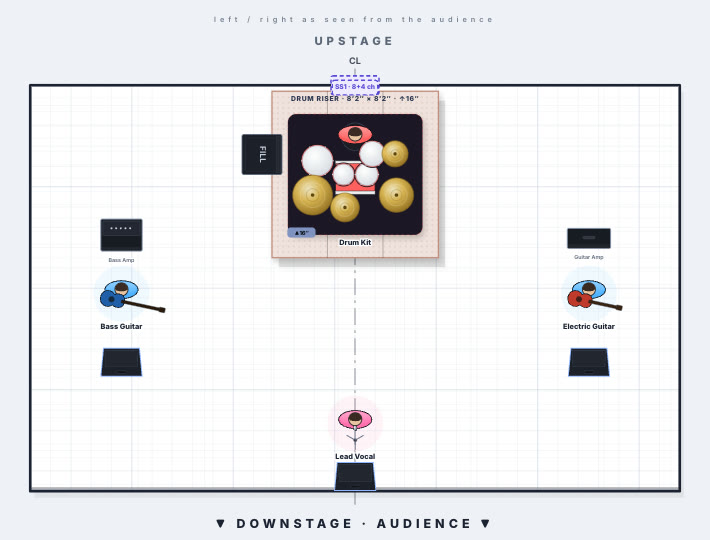
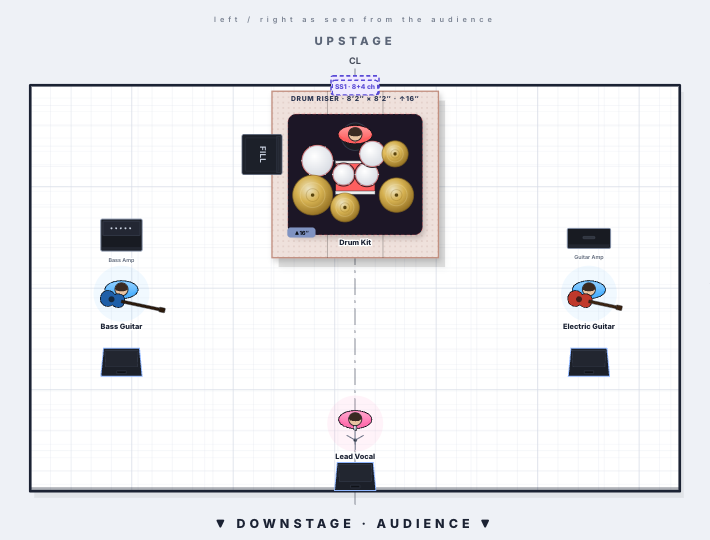
Rock band – 4 piece
Drums on a riser, bass and guitar with their amps, lead vocal in front, a wedge for everyone.
“4 piece rock band: drums upstage center on a riser, bass left, electric guitar right, lead vocal downstage center, wedges for everyone”
Open & edit this template Download picture
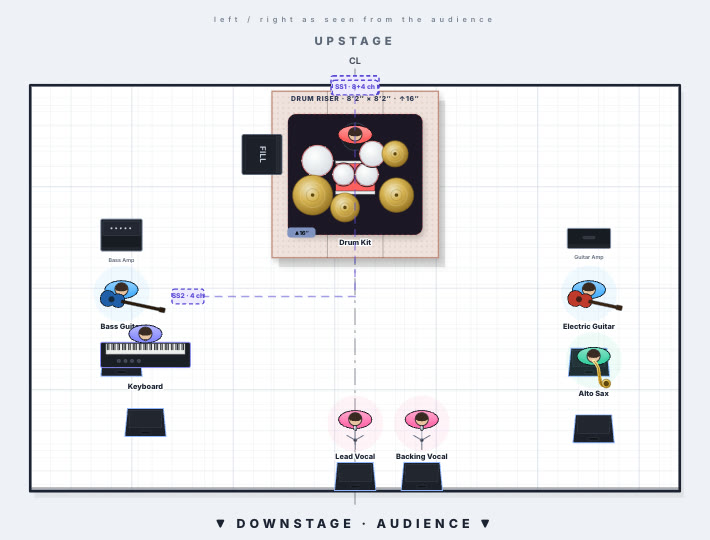
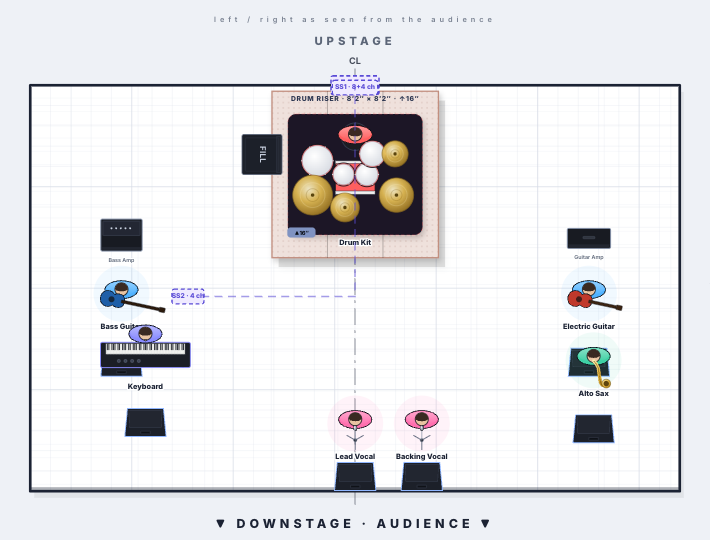
Wedding & function band – 6 piece
The classic function band: drums, bass, guitar, keys, sax, lead and backing vocals.
“6 piece band: drums upstage on a riser, bass left, guitar right, keys, sax, lead vocal and backing vocal downstage, wedges for everyone”
Open & edit this template Download picture
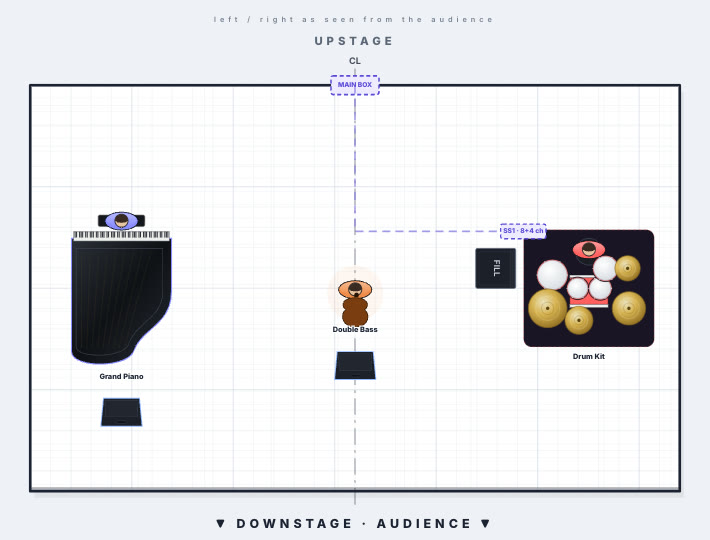
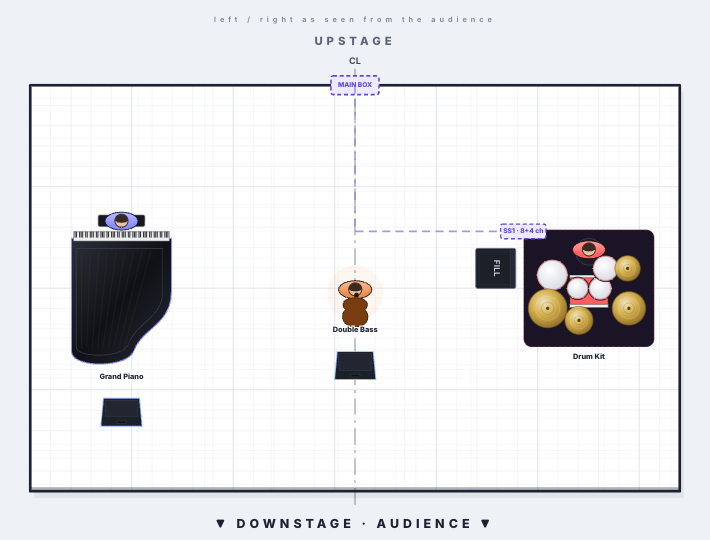
Jazz trio
Grand piano, upright bass and drums – close together, one wedge each.
“jazz trio: piano left, upright bass center, drums right, wedges for everyone”
Open & edit this template Download picture
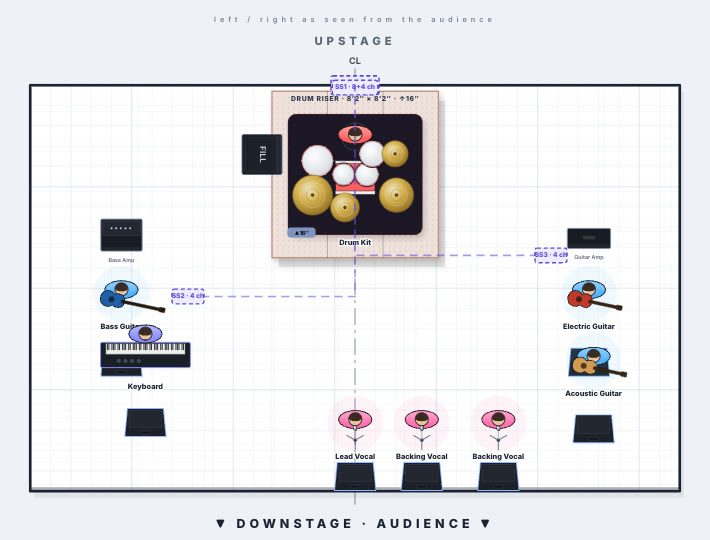
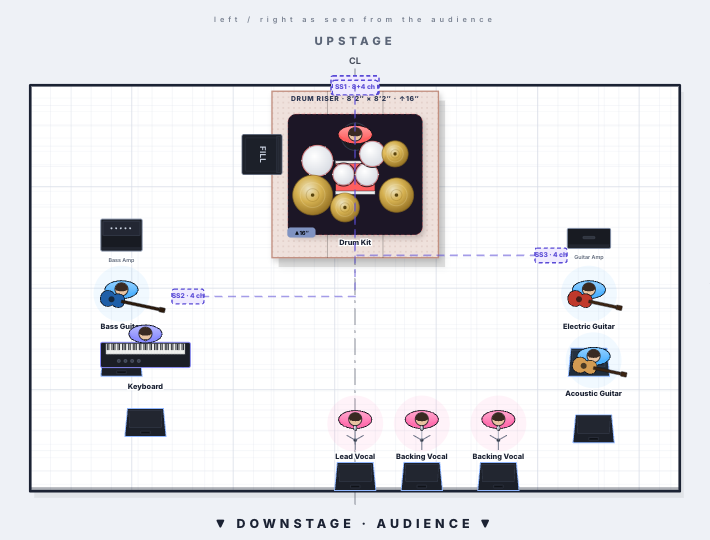
Worship band
Drums on a riser, bass, electric and acoustic guitar, keys, a lead vocal and two backing vocals.
“7 piece band: drums upstage center on a riser, bass left, electric guitar right, acoustic guitar mid-stage left, keys mid-stage right, lead vocal and two backing vocals downstage, wedges for everyone”
Open & edit this template Download picture
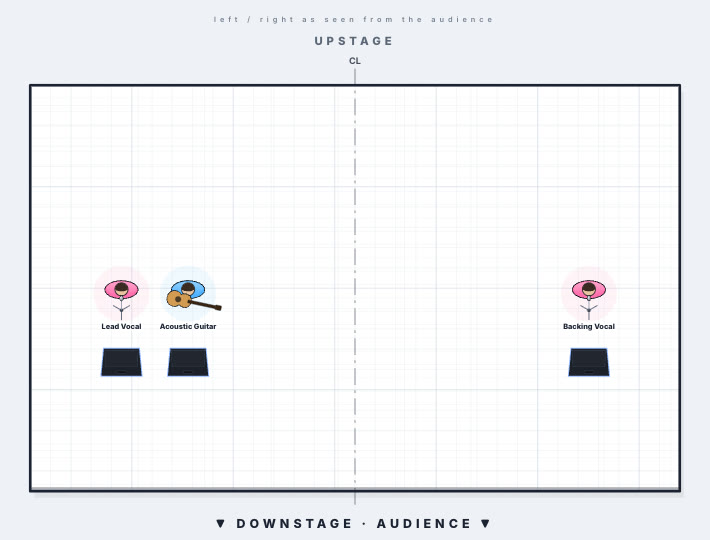
Acoustic duo
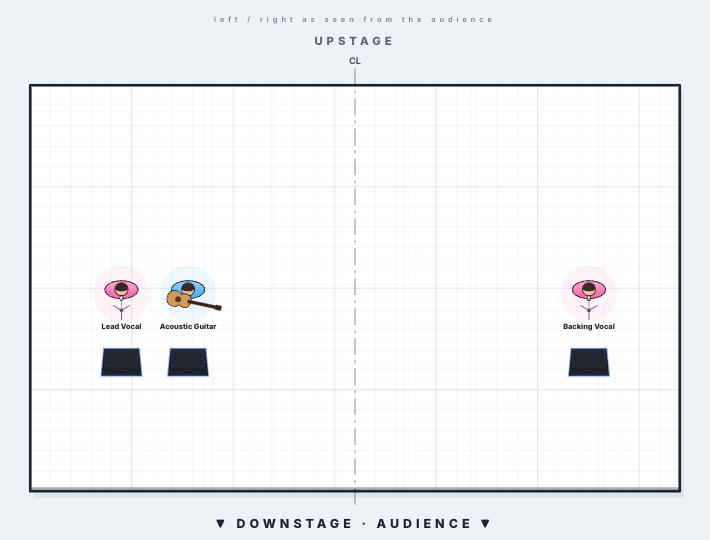
Lead vocal with acoustic guitar and a harmony singer – a small-stage classic.
“lead vocal with acoustic guitar left, backing vocal right, wedges for everyone”
Open & edit this template Download picture
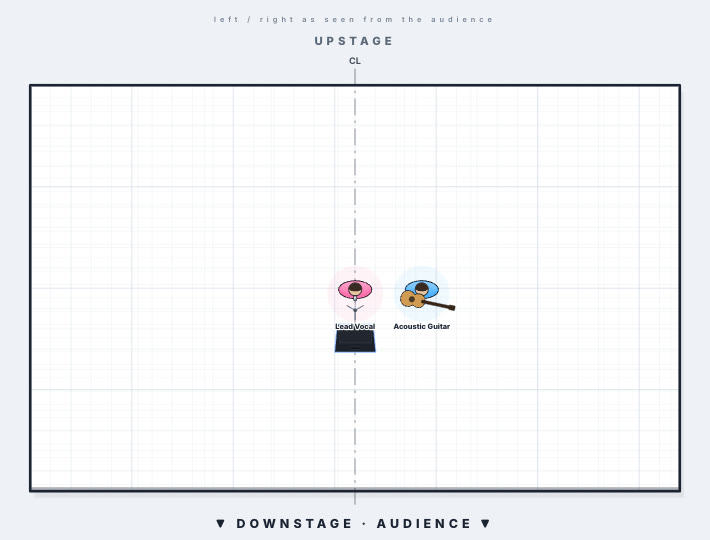
Singer-songwriter
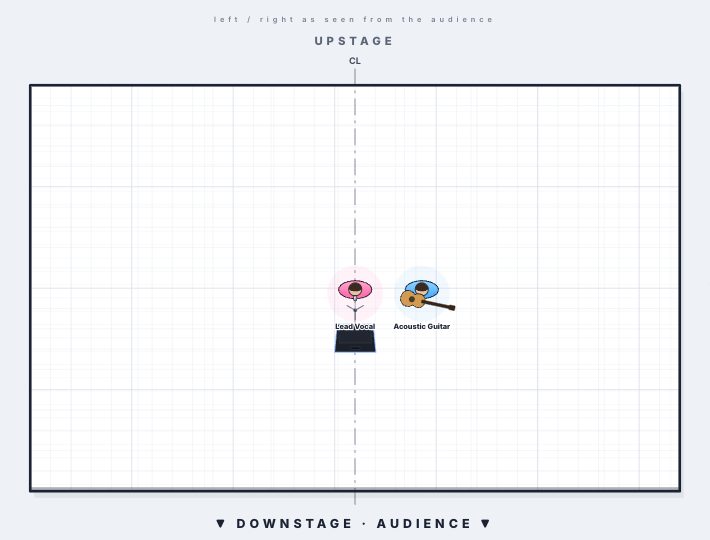
One voice, one acoustic guitar, one wedge.
“lead vocal with acoustic guitar center, wedge”
Open & edit this template Download picture
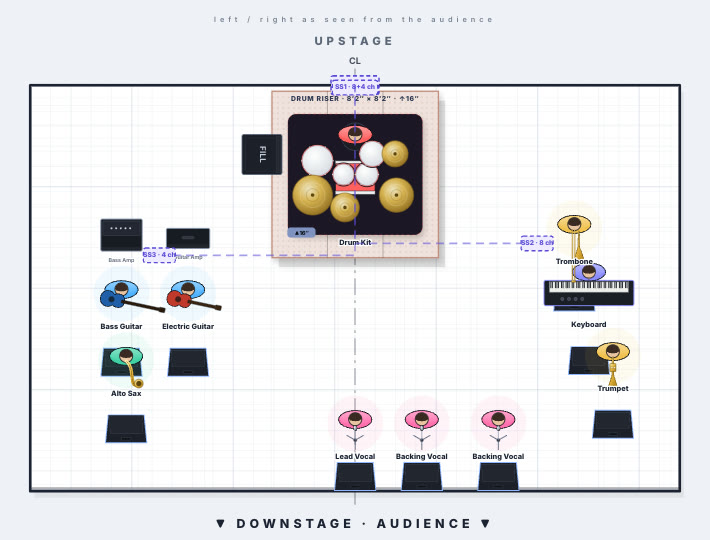
Soul & funk band with horns – 9 piece
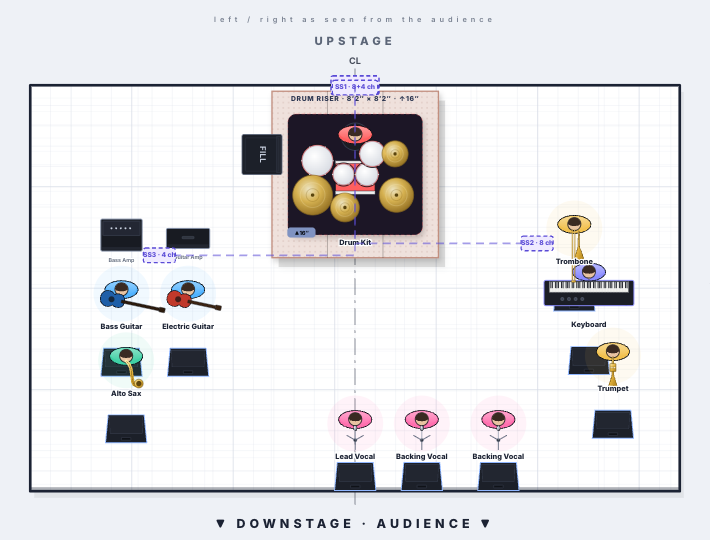
A 9-piece band with a horn section: trumpet, trombone and sax next to the rhythm section and three singers.
“9 piece band: drums upstage center on a riser, bass left, guitar left, keys mid-stage left, trumpet, trombone and sax mid-stage right, lead vocal and two backing vocals downstage, wedges for everyone”
Open & edit this template Download picture
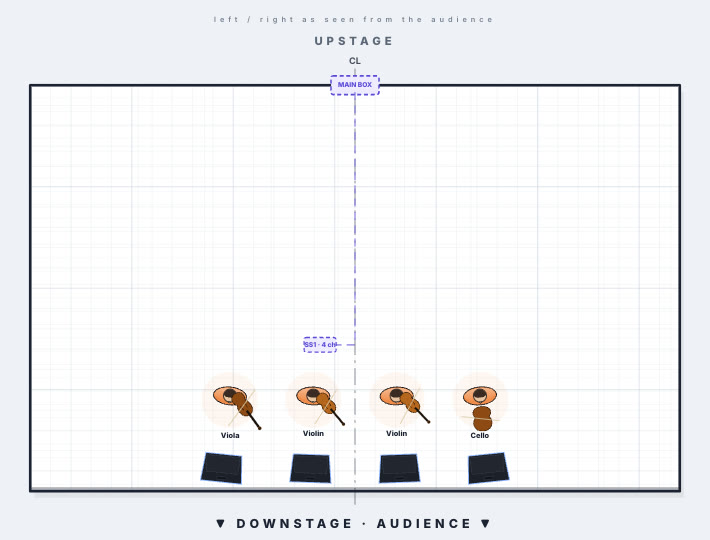
String quartet
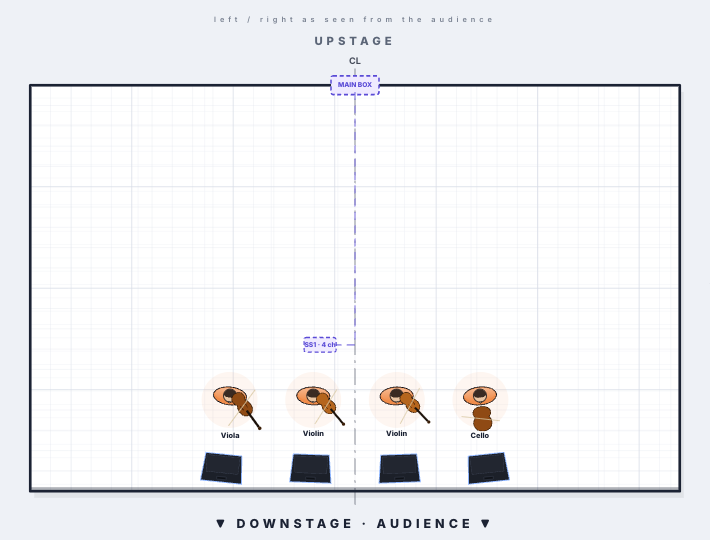
Two violins, viola and cello in a row, each with a monitor.
“string quartet: 2 violins, viola and cello”
Open & edit this template Download picture
What goes on a stage plot
A stage plot shows the sound crew where everyone stands, what they play and what they need: amps, DI boxes, monitors, risers and power. Left and right are as seen from the audience, the front of the stage is at the bottom, and every player has a name or role on the plot.
A good plot comes with an input list (channel, source, mic, stand, 48V), the monitor mixes and the power drops – that’s what a technical rider is.
Questions & answers
How do I use a template?
Open it in the app – change the players, the risers and the monitors, and the input list, cables and technical rider follow. You can also download the picture to use as it is.
Can I change a template?
Yes. Open it in the app, then drag players, add or remove instruments, put players on risers and change their mics. It saves to your account.
Does it make a technical rider?
Yes. One PDF with the stage plot, numbered input list (with 48V, mic and stand per channel), monitor mixes, output list, power and 3D views – for every stage of the event. You can also send a link instead of a file.
How do I start?
Sign up with your email and a password – nothing to install. Your plots save to your account and open on your computer, tablet and phone.